Hundreds of Fake VPNs Flood the Chrome Web Store
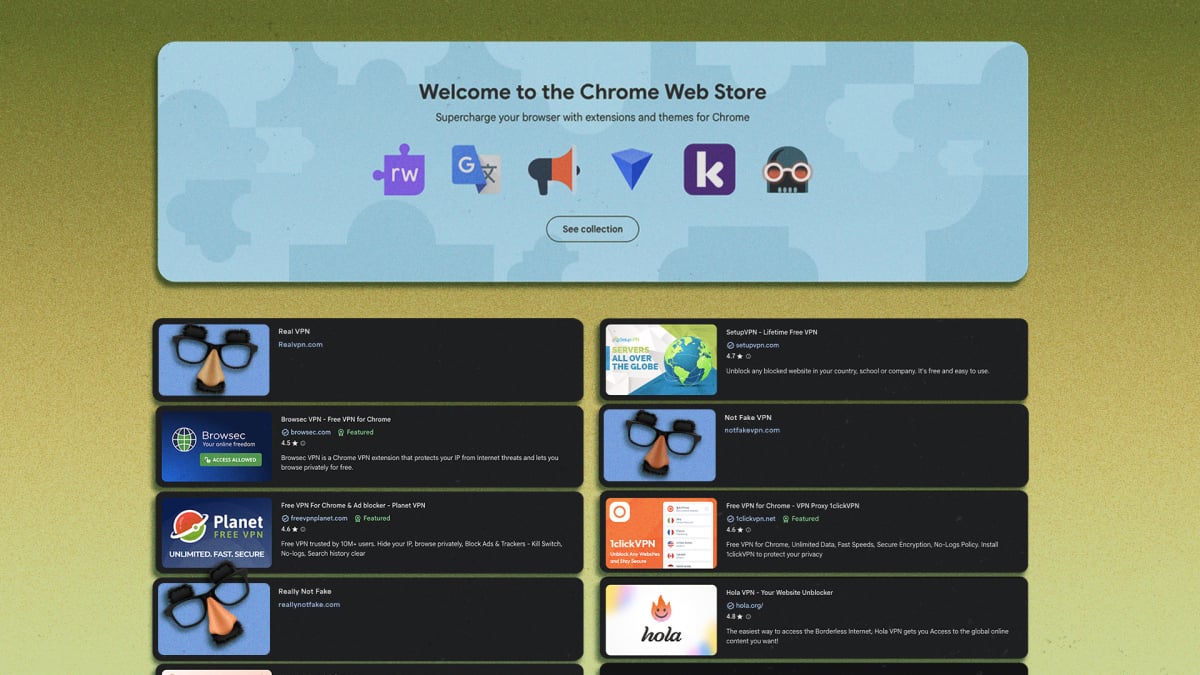
In today’s digital landscape, online security and anonymity have become increasingly crucial concerns. Virtual Private Networks (VPNs) are a popular solution for protecting user data and maintaining confidentiality while browsing the internet. However, a recent report from Socket, a cybersecurity platform, has exposed a shocking reality – hundreds of fake VPN apps are flooding the Chrome Web Store, compromising the security of unsuspecting users.
The Socket team analyzed 737 suspicious Chrome extensions that claim to offer VPN and SOCKS5 proxy servers to protect online privacy. Their investigation revealed a disturbing trend of paid apps selling access to non-existent VPN servers, extensions hijacking proxy settings to track online activity, and attempts to impersonate trusted VPN service providers like NordVPN and Surfshark. These fake VPNs have been published by a total of 40 developer accounts and have racked up 75,486 installs from users on the Chrome Web Store.
Of the 737 suspicious extensions analyzed, Socket’s team performed a detailed analysis of the code in 525 of them. These extensions accounted for 58,318 active Chrome installs at the time. The researchers found numerous issues in the extensions they analyzed, including:
Impersonation and Branding
274 out of 525 extensions plagiarized the branding and logo of one among 66 reputed VPN platforms, including Proton VPN, Surfshark, NordVPN, ExpressVPN, CyberGhost, and TunnelBear. This brazen act of impersonation highlights the lack of oversight in the Chrome Web Store’s review process. Two extensions specifically impersonated AmneziaVPN and AntiZapret, which are often used to get around internet censorship and surveillance.
Each extension pointed to a fixed SOCKS5 proxy without split tunneling or per-site controls, meaning that all online activity would get routed through the same server once the extension was installed. This lack of control over individual websites and applications raises serious security concerns, as it allows hackers to intercept sensitive information. 104 extensions used documented DNS-over-HTTPS evasion techniques to get around Chrome’s blocklists by spoofing their DNS record. This demonstrates the level of sophistication and malice involved in creating these fake VPNs.
Many of these VPNs advertise a paid tier with private VPN servers in Japan, Singapore, Canada, Australia, and Turkey. However, Socket’s analysis revealed that these servers do not exist, as their hostnames did not resolve during a DNS lookup. This highlights the deceitful nature of these fake VPNs, which lure users into paying for non-existent services.
Lack of License Verification
With the premium VPN subscriptions, there was no license verification happening internally to detect if the user had actually paid for a subscription. This is not normal for any web-based app or platform that offers a paid tier. This lack of verification raises concerns about the legitimacy of these VPNs and their ability to provide secure connections.
One of these extensions, Burënka VPN, does not route traffic through any servers at all. It’s simply a fake UI pretending to be a real app. This level of deception is staggering, and it highlights the need for users to be vigilant when installing VPN extensions.
Evading Review Process
Socket’s report suggests that these fake VPNs managed to get past Chrome’s review process through a combination of factors. The developers spent a lot of time studying Web Store review processes, possibly learning to evade rejections through repeated trial and error. Many of these developers have already had their other extensions removed by Chrome following a similar report from Palo Alto Networks in June, but they immediately went on to publish new extensions using the same playbook.
Even on the occasion that a developer’s account gets pulled from the store, opening a new developer account on the Chrome Web Store costs $5. Between the 40 developer accounts mentioned in the report, it barely cost $200 to publish over 700 fake extensions that reached an audience of tens of thousands. This highlights the ease with which these fake VPNs can be created and distributed.
Spotting Fake VPNs
So, how can users spot these fake VPNs and avoid falling victim to their deceitful tactics? Here are some tips:
- Install extensions by following a link directly from the VPN provider’s official website, not the search bar on Web Store or Google Play.
- Always read reviews before installing a new browser extension. If too many people are complaining about security concerns, avoid it.
- Before you install a Chrome Web Store extension, look past the app listing and user reviews to the developer account tied to that app as well. Check if the account is officially associated with the VPN provider and see if Web Store reviews flag security concerns on their other apps too.
- Use a tool like WhatIsMyIPAddress.com to check your currently visible IP address. Confirm that it matches the IP address displayed in your VPN extension’s UI.
- Run a DNS leak check while your VPN is on to make sure that it’s working properly, not merely concealing your IP address but also encrypting your DNS queries. If either your IP address, general location, or internet service provider (ISP) shows up in the test results, that’s a red flag.


