Source: lifehacker.com
Garmin’s fitness watches have become an essential tool for many athletes and fitness enthusiasts, providing valuable insights into their performance and recovery. One of the features that has gained popularity is the ‘Recovery Time’ estimate, which aims to give users an idea of how long it will take for them to fully recover from a workout. However, there’s often confusion about what this feature actually means, and how it should be used.
In this article, we’ll delve into the details of Garmin’s recovery time feature, explore what it actually means, and provide guidance on how to use it effectively in your training.
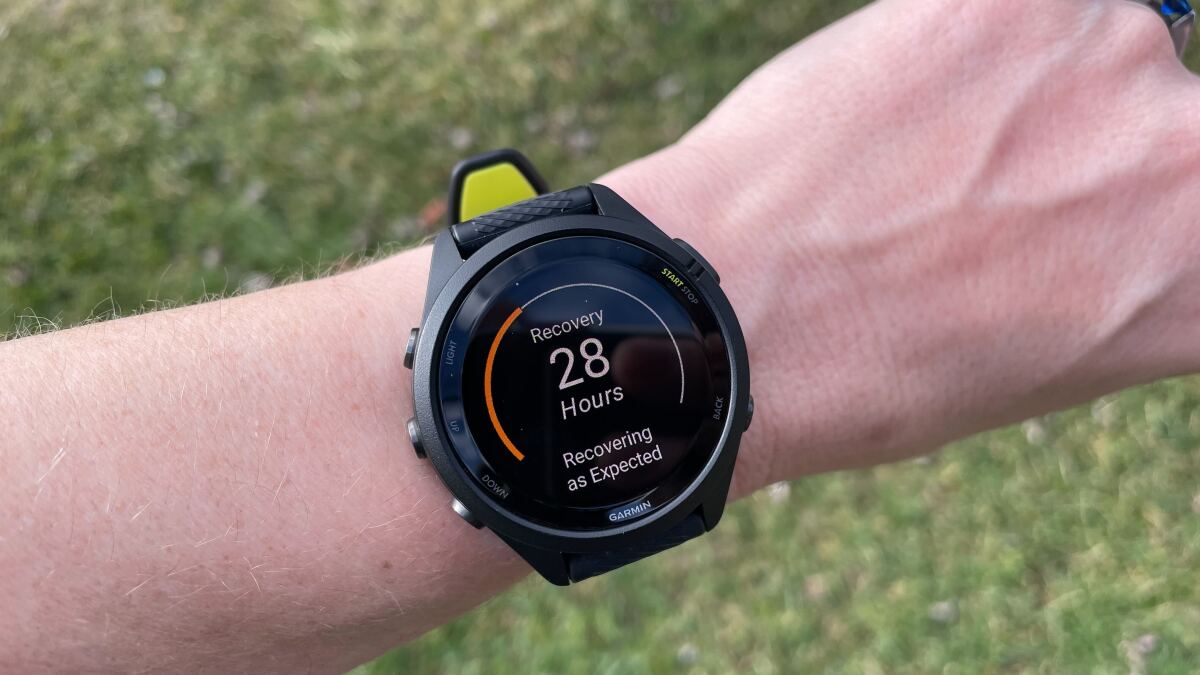
Garmin’s recovery time feature is a valuable tool that provides an estimate of how long it will take for you to fully recover from a workout. This estimate is based on the intensity of the workout, as well as other factors such as your age, weight, and fitness level. You can find your recovery time in the end-of-workout summary that appears on your Garmin watch after a workout. It’s also available from the Training Status glance on your watch, or the Training Readiness tile in the Garmin Connect app if you have that.
Garmin’s recovery time feature is available on most Enduro, Epix, Fenix, Forerunner, Instinct, Venu, and Vivoactive watches, among others. If you’re unsure whether your watch has this feature, you can check Garmin’s website for a full list of compatible devices.
Garmin defines recovery time as ‘an estimate on how long it will take for you to fully recover and be ready for your next workout of the same intensity.’ It’s essential to note that this estimate is not a hard and fast rule, but rather a guideline to help you plan your training. The idea is not that you have to wait until the recovery time hits zero before working out again. Instead, it’s a signal that you’ll be operating with at least a little more fatigue than usual between now and when the timer hits zero.
The recovery time estimate is based on the principle that no athlete is fully recovered at the start of every training session. It’s normal to carry a little fatigue from one session to the next, and the recovery time estimate takes this into account. For example, if you get a 38-hour recovery time after a hard workout, that’s just a signal that you won’t be in tip-top shape tomorrow. If you were planning the hardest workout of your week for tomorrow, you might want to consider delaying that workout so you can do it later on fresh legs.
There’s an argument for ignoring any metric a watch gives you, at least some of the time. You don’t need to let Garmin’s recovery time run your life. If you still want to get your workout in, and you feel up to it, feel free to ignore the recovery numbers. However, if you’re using your Garmin watch as a tool to guide your training, it’s worth considering the recovery time estimate as a gut check. If you get a long recovery time, that’s a reminder that you did actually work pretty hard, and you should make sure your efforts are balanced over time with easy and hard days.
Any good training program will keep this in mind anyway, with or without a watch putting a number on it. The recovery time estimate is just one tool to help you plan your training, and it’s up to you to decide how to use it effectively.
Garmin is constantly updating its estimate of how far away you are from full recovery. If you do another workout before the timer hits zero, the number will go up again because you’ve given yourself more work to recover from. On the flip side, if you got a good night’s sleep, you may find that the number shrank more than expected during the night. Again, you don’t want to read too much into this number; it’s just an estimate, after all.
It’s a good sign if you find you’re recovering quickly from your hard workouts, but it’s essential to remember that this is just one factor to consider when planning your training. With a good training program and a balanced approach to your workouts, you can use the recovery time estimate as a valuable tool to help you achieve your fitness goals.
Online Assistant


